![Logo-2.png]](https://support.medimap.ca/hs-fs/hubfs/Logo-2.png?height=40&name=Logo-2.png)
Updating Your Wait Time Through your Clinic Portal
In the Clinic Portal, from the very top of the page, you can find the wait time section. You can use the scroller to adjust your estimated wait time, then click Update to make those changes live.

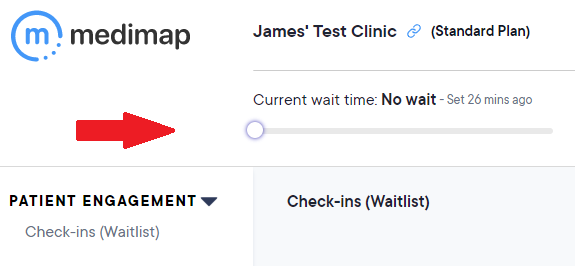
Note: This is the primary way to update using Mac computers.
Updating Your Wait Time Through the Reminder Application (Windows Only)
When things get busy at the clinic it can be difficult to remember to update your wait time.
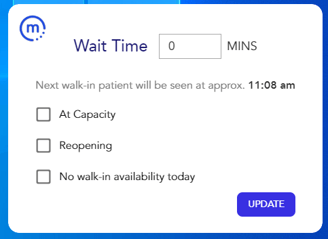
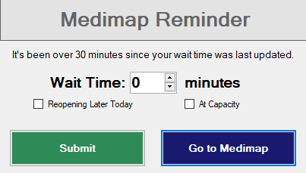
To help with this, we have developed a simple application that will remind you to update the wait time whenever half an hour passes without an update during operating hours.
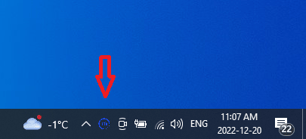
The pop-up reminder will appear in the bottom right-hand corner of your screen and you can update the wait time directly from the pop-up without having to log into your Medimap account:

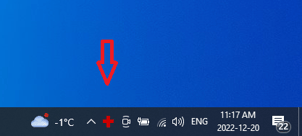
NOTE: If your clinic accepts patient online check-ins, the icon for your Medimap Reminder App will not be a red cross, it will be the blue Medimap "M" instead